Add your Cryptocard to your Android
Pay by holding your phone near the reader at any store that accepts contactless Visa, with Google Pay. It takes a minute.
Get my card →Reviewed on October 23, 2026
Where you can pay with your Android
Before you start
- Your card must be active at app.cryptocard.la (identity verified).
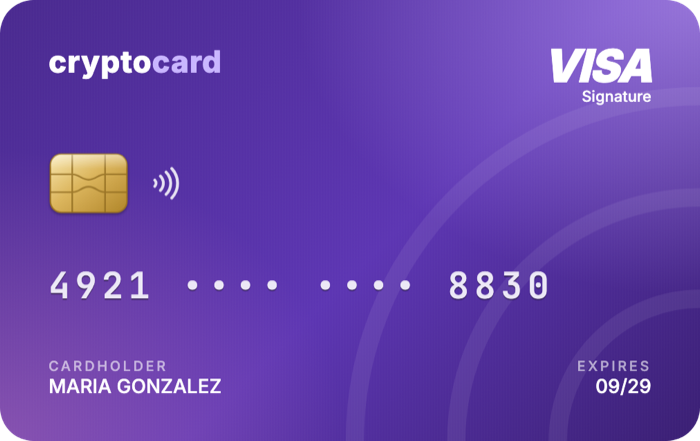
- Have the card details handy: in the Cryptocard app, tap Details to see the number, expiry date and CVV. For security they hide after a minute: if that happens, tap Details again.
- You need an Android phone with NFC and the Google Wallet app. If you don't have it, download it free from Google Play.
Step by step
- Open the Google Wallet app and, at the bottom, tap Add to Wallet.
- Tap Payment card, then New credit or debit card.
- When the camera opens, tap Enter details manually: the card is virtual, so there is no plastic to scan.
- Enter the number, expiry date, CVV and your address, and tap Save and continue.
- Read the Issuer Terms and tap Accept.
- If you are asked to verify the card, choose to get the code by text message or email: it goes to the phone number or email you registered with Cryptocard. Enter the code in the app.
- Done: the card shows up in Google Wallet and you can pay with Google Pay.
Button names are the ones Google uses in English; they may vary slightly depending on your phone or language.
How to pay in a store
- Unlock your phone.
- Hold the back of the phone near the payment reader until you see the confirmation.
For this to work, NFC must be on and Google Wallet set as your default payment app (you can check it in your phone's NFC or contactless payments settings). The payment is taken from your Cryptocard balance.
If something doesn't work
- Details don't match: check the number, expiry date and CVV, and use the same address you entered when verifying your identity.
- The code doesn't arrive: you can request another one or pick another option on the verification screen. Check your spam folder and make sure your phone has signal.
- The card is frozen: unfreeze it in the Cryptocard app and try again.
- Google Wallet is not available: it doesn't work in every country or on every phone. Even if you can't use it on your phone, the card still works for online purchases.
Frequently asked questions
Can I add a virtual card to Google Pay?
Yes. You add it by entering the details manually, and it is ready to pay with your phone in stores and online.
Does using Google Pay cost anything?
No. Paying with Google Pay has no extra cost: the same terms as the card apply.
Does my phone have NFC?
Most Android phones from recent years do. Search for "NFC" in Settings: if it shows up, turn it on.
What if I have an iPhone?
You can add it to Apple Pay. Follow the iPhone guide.
What if I lose my phone?
Freeze the card from the Cryptocard app in any browser: nobody can use it until you unfreeze it.